
Build powerful graph & timeline tools with Memgraph
Visualizing Memgraph
About our toolkits
Our toolkits – KeyLines, ReGraph, MapWeave and KronoGraph – are software development kits (SDKs) for graph and timeline visualization.
They make it easy to create powerful interactive visualization tools that bring your data to life. These tools can then be rolled into your existing workflows and products, helping your users to explore and understand their data.
Our SDKs are 100% database agnostic, but integrate seamlessly with Memgraph. They also work with any browser, device or server, leaving you free to choose the stack that works best for you.
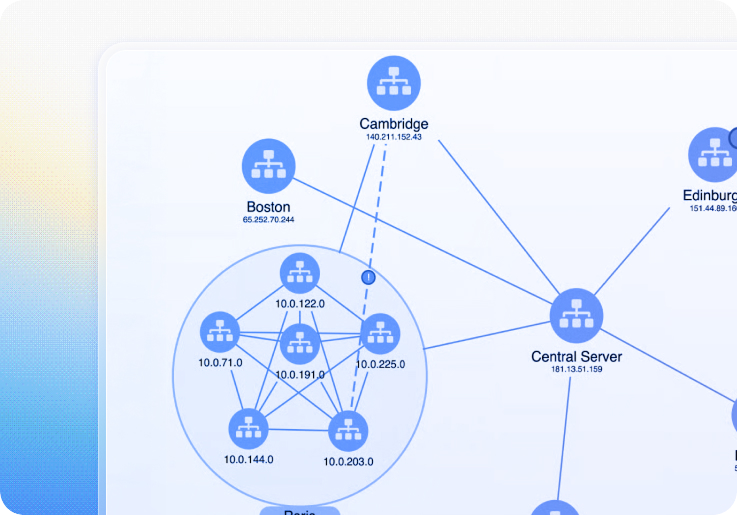
Ship Memgraph apps quickly and easily
Our developer toolkits make building graph and timeline visualization apps with Memgraph a breeze.
Combining performance with a hassle-free developer experience, they provide a completely flexible way to create graph and timeline visualization UIs that work anywhere, on any device.
They also integrate seamlessly with Memgraph, giving your users an intuitive and interactive way to visualize and explore the data they need to understand.
Building timeline and graph visualization tools for Memgraph
Whatever your stack, we have an integration tutorial to get you started.
Learn how to create graph and timeline visualization applications that empower users to see, explore and understand the data in their Memgraph database.
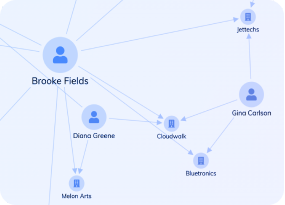
Build for developers. Loved by teams.




Why do Memgraph users choose our toolkits?

Fastest route
We design our toolkits with a fast developer experience in mind.
Equipped with our demos, coding playgrounds, comprehensive docs and expert support, you’ll be ready to ship your application in no time.

An easy integration
Because Memgraph uses openCypher, the Bolt protocol and other Neo4j tools, you’ll find our toolkits integrate with it seamlessly.
We also have JavaScript and React-specific examples to get you started.

Deliver the best UX
Our toolkits let you customize every aspect of your Memgraph application – from branding to functionality.
The result is useful, insightful experiences your users value, and your competitors envy.

Powerful functionality
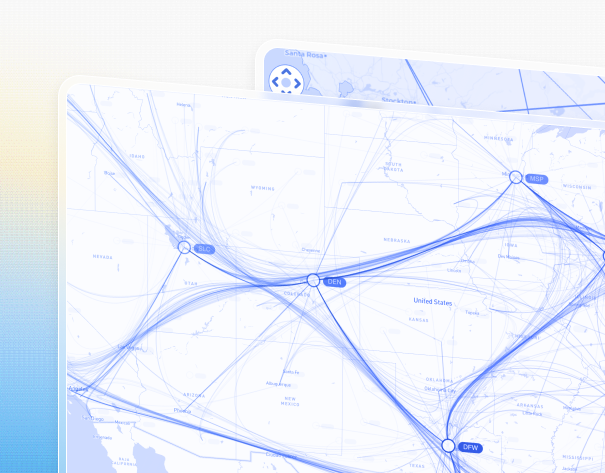
From timelines to centrality measures, automated layouts to geospatial maps.
Our SDKs have a huge range of visualization functions and analysis algorithms to uncover insight in your most complex Memgraph datasets.

A trusted partner
We’ve been the leading provider of graph and timeline visualization technologies since 2011.
Hundreds of organizations worldwide rely on our toolkits – from pioneering startups to Fortune 500s and national governments.

Harness our innovation
We work year-round creating new features, ready to roll into your apps.
Keep customers happy and competitors on the back foot with constantly-improving, beautiful and unique visual analytics.
Ready to build your Memgraph data visualization app?
Bring clarity, confidence and interactive intelligence to your product – with visualizations that transform how users understand and explore complex data.
Memgraph Visualization FAQ
What is Memgraph?
Memgraph is a fully-distributed graph database primarily aimed at financial, telecommunications, and retail enterprises. It’s optimized to run both transactional and analytical graph workloads with low latency and high performance.
To Neo4j users, Memgraph will seem very familiar. It uses openCypher for queries and the Bolt protocol for database communications. Other tools originally developed for Neo4j also work out of the box for Memgraph too, including the neo4j-client and the JavaScript library neo4j-client.js.
How do I visualize Memgraph data?
You can use Memgraph Lab – a visualization component included with Memgraph. It’s a tool to help administrators and developers build the database, and browse and optimize data structures.
If you need end-user visualization tools for people who don’t have direct database access, the Memgraph team has released the Orb Library – an open source graph library. It’s a good solution for simple use cases, offering interactive graph visualization and functionality like node and link styling and graph layouts.
If you need more advanced visual graph and timeline analysis functionality and a supported developer experience, you might find our products – KeyLines, ReGraph and KronoGraph – are a great fit too.
What is KeyLines?
KeyLines is our JavaScript software development toolkit (SDK) for graph visualization. It makes it quick and easy for JavaScript developers to build custom, powerful and interactive graph visualization tools. These can be rolled into your existing products and shipped to unlimited end-users.
What is ReGraph?
ReGraph is our React SDK for graph visualization. It offers the same performance, scalability and end-user functionality as KeyLines, but is specifically designed for React developers.
Every aspect of the SDK is optimized to feel as ‘React-native’ for the developer as possible, including fully-reactive components, state and data flow management and JSX-coded elements with clear syntax.
What is KronoGraph?
KronoGraph is our SDK for building interactive timeline applications. It comes with both plain JavaScript and React APIs.
The timelines built with KronoGraph reveal how events unfold over time, including heatmap views, individual event views, and intelligence data aggregation.
How do the visualization toolkits connect to Memgraph?
Our products come with documentation and examples, showing how to integrate with the popular Neo4j graph database. As Memgraph harnesses a number of protocols and tools in the Neo4j ecosystem, it can be easily integrated with our technologies too.
Our tutorials demonstrate some of these options, but let us know if your requirements aren’t covered.
What are the use cases for Memgraph visualization apps?
Hundreds of organizations worldwide use our toolkits to make sense of complex connected data. Their industry sectors include: security and intelligence, risk and compliance, and cyber threat intelligence.
Where can I learn more?
If you’re not ready to get started yet, take a look at our blog. You’ll find useful information on all aspects of graph database visualization and best practice.
If you want to explore your options with other graph databases, please visit our visualizing graph databases page.
How do I get started?
That’s easy! Request a free trial